
Script hubs for Roblox
Auto farms, combat tools and a clean in-game menu for your favourite Roblox games. Save your setup, load it anywhere, and get fast fixes when the game updates.
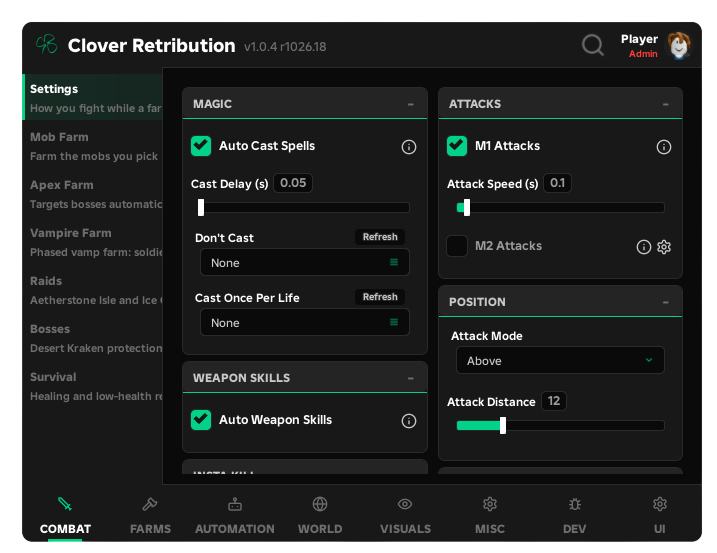
CloverLib is our own UI library. Every hub uses it, so every game feels the same.
Combat, farms, automation and visuals sit in clear tabs with tooltips on every option. No clutter, nothing to dig for.
Save your setup, load it in seconds and share it with a code on the Configs page.
See which games are working, updating or need a fix before you run anything.
Free keys need a short verification. Premium is a one-time tip on Ko-fi and removes the checkpoints.
Live status, straight from our dashboard.
Finish a short verification and your key appears on the dashboard.
Paste one line into your executor while you are in a supported game.
The menu opens. Pick your settings and save them as a config.